

For sales enablement · Solution cards
Your product changed. Your reps need to change fast.
A solution card holds what reps need to know, ask, say and prove about one product. Everboarder watches the sources behind each card, flags every change for your approval, and gives reps a practice call on the new version instantly.
Or see the free solution card templateFree to start. No credit card.
Solution card · v10 → v11
7 sourcesWhat changed
A competitor changed its pricing page
AI summaries, previously a paid add-on, are now in every plan. Approved by enablement.
7
Know
5
Ask
3
Say
1
Prove
6
Handle
Short answer
What is a solution card?
A solution card is a one-page sales aid for one product or solution: what it is, the questions to ask, the approved wording, the proof points, the objections and the rules on what never to say. A battle card is about a competitor. A solution card is about your own value.
The problem
Enablement content goes stale the day it ships.
Out of date before training ends.
Pricing moved, a feature shipped, a competitor changed its packaging. The deck didn’t.
Reps read it. They can’t say it.
Knowing the product and pitching it to a sceptical buyer are different skills.
Nobody knows who’s seen the change.
You sent the update. Who read it? Who could actually use it on a call?
How it works
A card that updates, and a team that practises the update.
Each card holds what a rep must Know, Ask, Say and Prove, plus the rules. Everboarder watches the pages the card is built from. When one changes, you approve the update, and every rep sees what changed with a Practise it button beside it.
Know, Ask, Say, Prove
What it is and why it matters, the discovery questions, the approved wording, and the proof points.
Rules reps can’t miss
NEVER and MUST lines, such as: never say “GDPR compliant”, say “supports your GDPR obligations”.
Watched sources
Product pages, release notes and competitor pricing pages. Every change comes to you for review first.
Tailored to each buyer
Pick a buyer and the card shows only the questions, talking points and objections that apply to them.
Scored against the card
Every practice call is checked against the card’s current version, line by line.
In the product
Inside a solution card
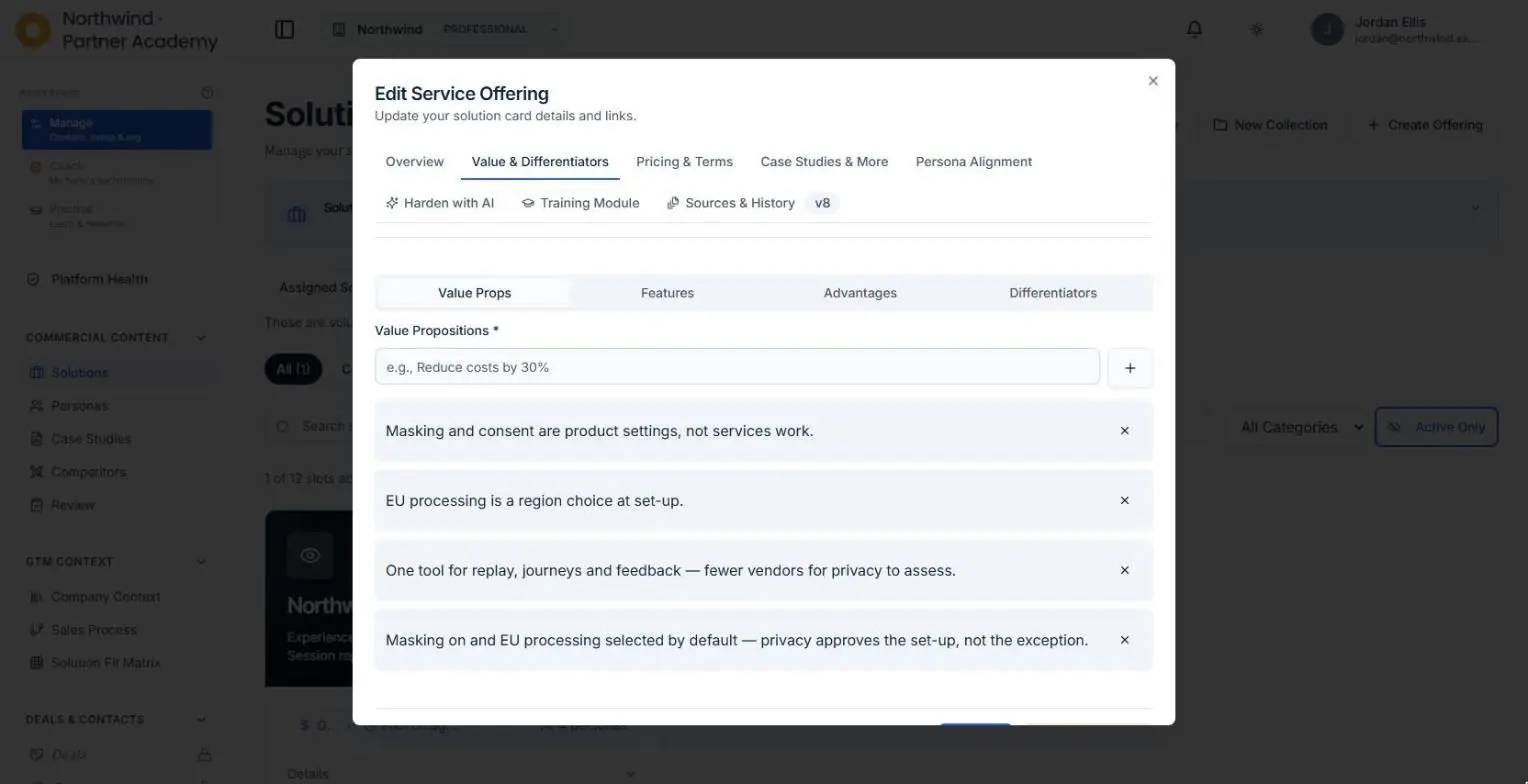
Value props, features, advantages and differentiators, each one versioned, with the sources behind it.
- Version history, with the source and the approver on every change
- Card currency on the readiness view
- Core, partner and bundle cards
- Buyer-specific questions and objections, drafted for your review and never published without approval
- Product knowledge scored on every call: Know, Ask, Say and Prove
More from the app
The card, the buyers, the fit
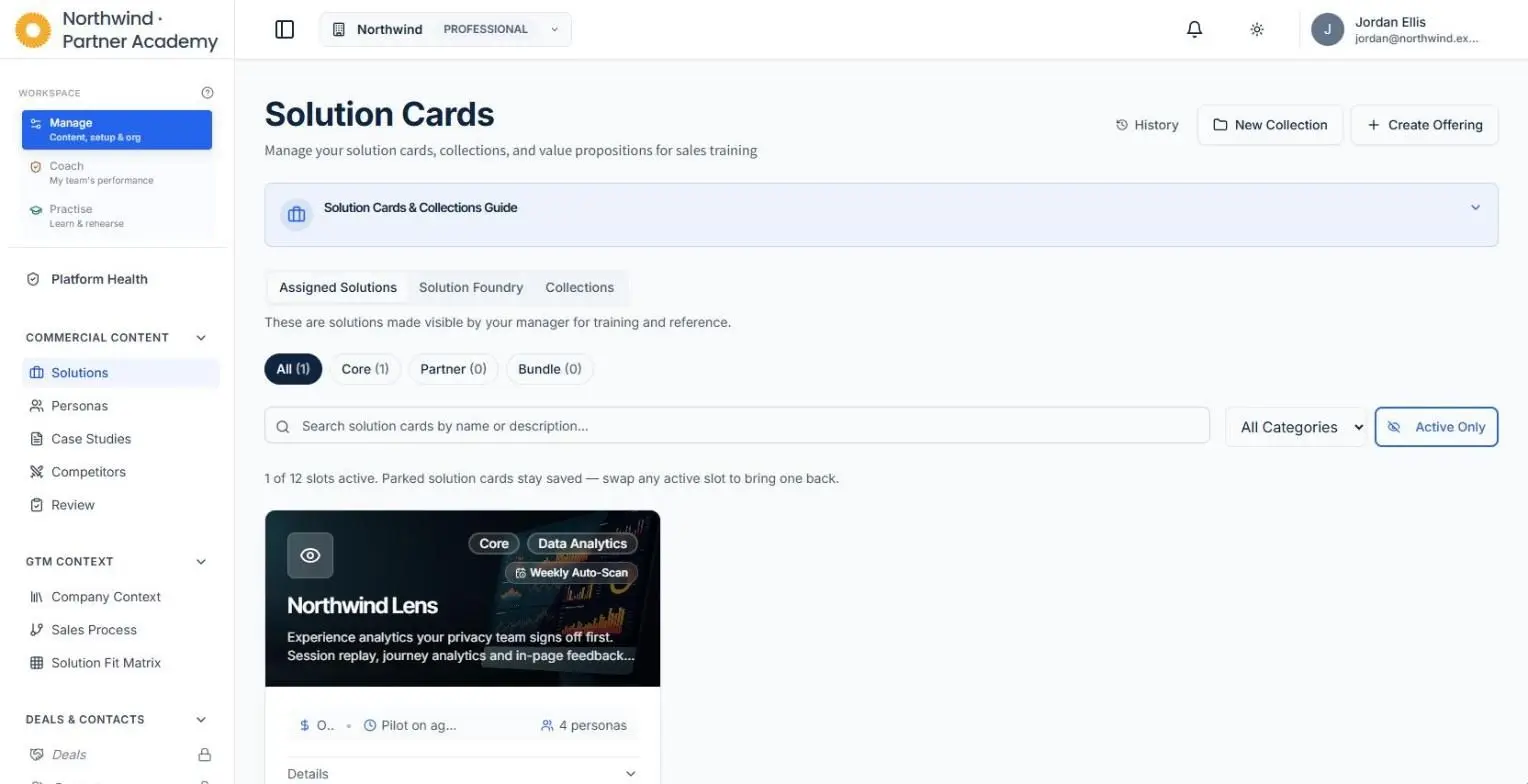
Every product on one card
Core, partner and bundle offerings, each with its value propositions, its buyers and a weekly source scan.
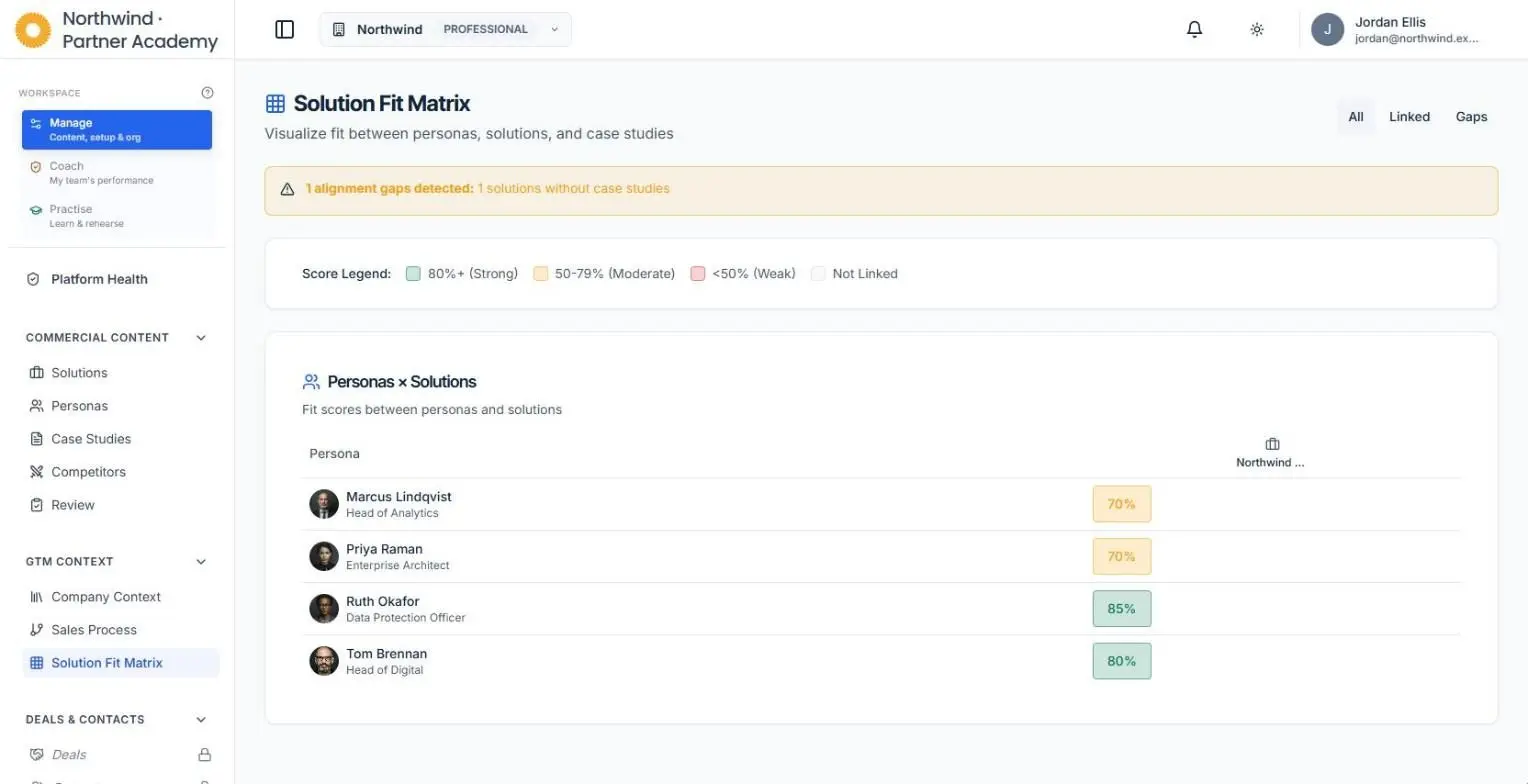
Which buyer, which product
A fit score between every buyer persona and every solution, with the gaps flagged.
Then check it landed
See who can actually sell the new version
Every practice call is scored against the card. Know, Ask, Say, Prove: the gap shows up before a buyer finds it.
What changes
Reps hear the change in practice before a buyer says it to them.
See card currency
For each card: who has read the change, and who has practised this version. Red when a change hasn’t been practised.
Stay on message
Reps are scored on your approved wording, so positioning holds on real calls.
Less chasing
Changes find you, with the source and the before and after. Approve, and it’s live.
The opposition changed formation at half-time. The team that hears it in the dressing room wins.
Free for enablement
Build your first card, free.
Start with one product. Add the sources, set the rules, and run a practice call against it the same day.
Free to start. No credit card.
FAQ
Questions
How does a card stay current?
Everboarder watches the sources the card is built from, such as product pages, release notes and competitor pages. When one changes, the update comes to you for review. Nothing reaches reps without approval.
Who approves changes?
The card owner in enablement. Each change shows the source, the before and after, and who approved it.
What’s the difference between a solution card and a battle card?
A battle card is about a competitor: their strengths, your advantages, the traps. A solution card is about your own product and its value.
Can I start from an existing card?
Yes. Paste in what you have, or point Everboarder at your product pages.
What sales leaders say
Built with the people who run sales teams.
“Everboarder is brilliant — it tackles my specific pain around team readiness and saves me time and hassle.”
“The tools we’ve used to this point have seriously fallen short. We have nothing like this.”
“Everboarder is absolutely fantastic. This is going to make a huge impact on our sales capability.”

Ship the card. Then drill it.
A card nobody practises is a poster.
Free to start. No credit card.